Removing patches
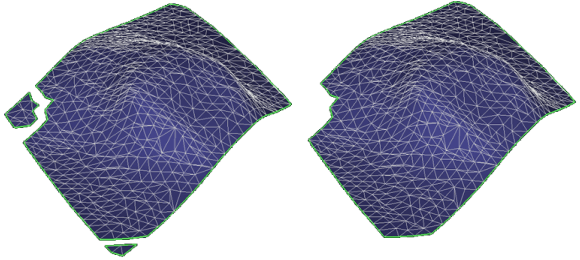
Before and after small patch removal click to enlarge
To remove tri-mesh patches, open the Remove Patches form
- Select a model to populate the table below with all available tri-meshes for the selected model.
- Select the tri-meshes to modify by checking the individual check boxes, or by right-clicking the list and making a selection from the context menu.
- In the Minimal patch area field, specify the maximum size of tri-mesh patches to be removed
- If you click OK, all tri-mesh patches with an area smaller than the specified size will be removed from the selected tri-mesh.
A tri-mesh patch is a connected set of triangles. Most faults only consist of one patch, but horizons may consist of multiple patches. Each patch is surrounded by a boundary.